When to use it
When the price of bottle, drink, half drink, Magnum or other format changes.
Requirements and permissions
- Session initiated and permission to edit letter.
- restaurant, wine and exact variant confirmed.
- Loan earlier value for rollback.
Steps
- Find the wine in My letter and open its edition.
- Located an exact variant: bottle, glass, half glass, Magnum or another.
- Write down the previous PVP and change only the intended format.
- Save once and get back to the card.
- Open the public letter and check the same format.
- If TPV / ERP integration exists, check your readback independently and do not assume spread as you have been saved in Editor.
Expected result and readback
Result: Reader and public letter display new PVP in the right variant and any integrated system has independent readback.
Check: Compare wine, variant and price in My letter and App and also register the readback TPV / ERP as applicable.
Common errors
- Change purchase price instead of PVP.
- Edit bottle while trying to drink.
- To put a TPV with no target reading into sync.
Recovery or rollback
If Editor or App doesn't match, restore the previous value to the same variant and check. If the TPV differs, stop new textures and follow the integration run.
Evidence
The product screenshot is in Spanish. Use the highlighted area together with the translated steps.
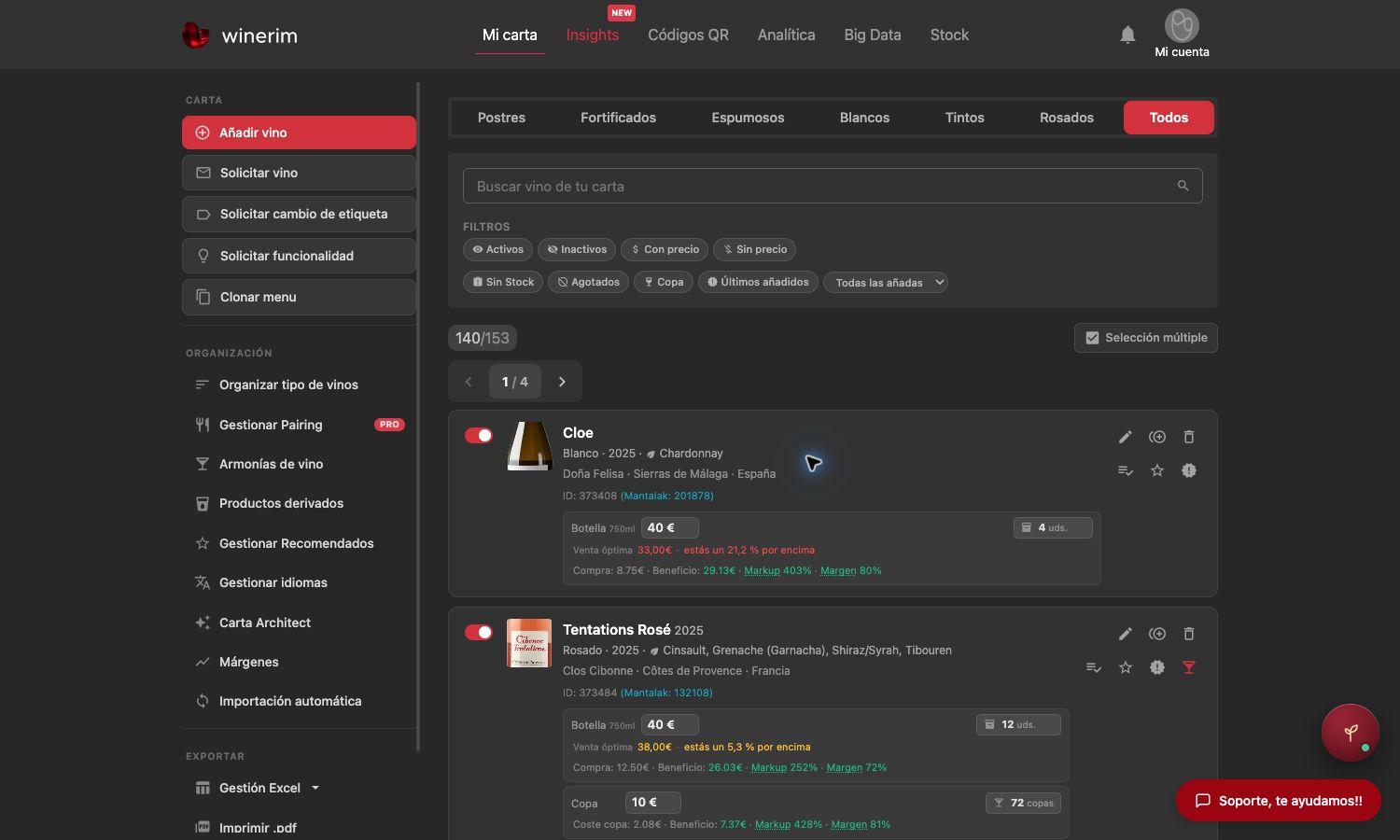
Full screenshot
Frames reviewed: 2026-09-28. Screenshots: 2026-09-28.