When to use it
When you need to validate price in detail in public letter.
Requirements and permissions
- Public letter URL.
- Navigation with connection and letter from the loaded restaurant.
Steps
- Apply the filter.
- Open a wine.
- Check the price of detail block.
Expected result and readback
Result: The tab confirms the price of the chosen format.
Check: Check the price of detail block.
Common errors
- Act about another letter, language, coin, filter or wine other than that requested.
Recovery or rollback
Keep the previous value or file. If the readback doesn't match, stop new textures and restore the earlier value from the same screen only if the identity is confirmed and otherwise scale to support.
Evidence
The product screenshot is in Spanish. Use the highlighted area together with the translated steps.
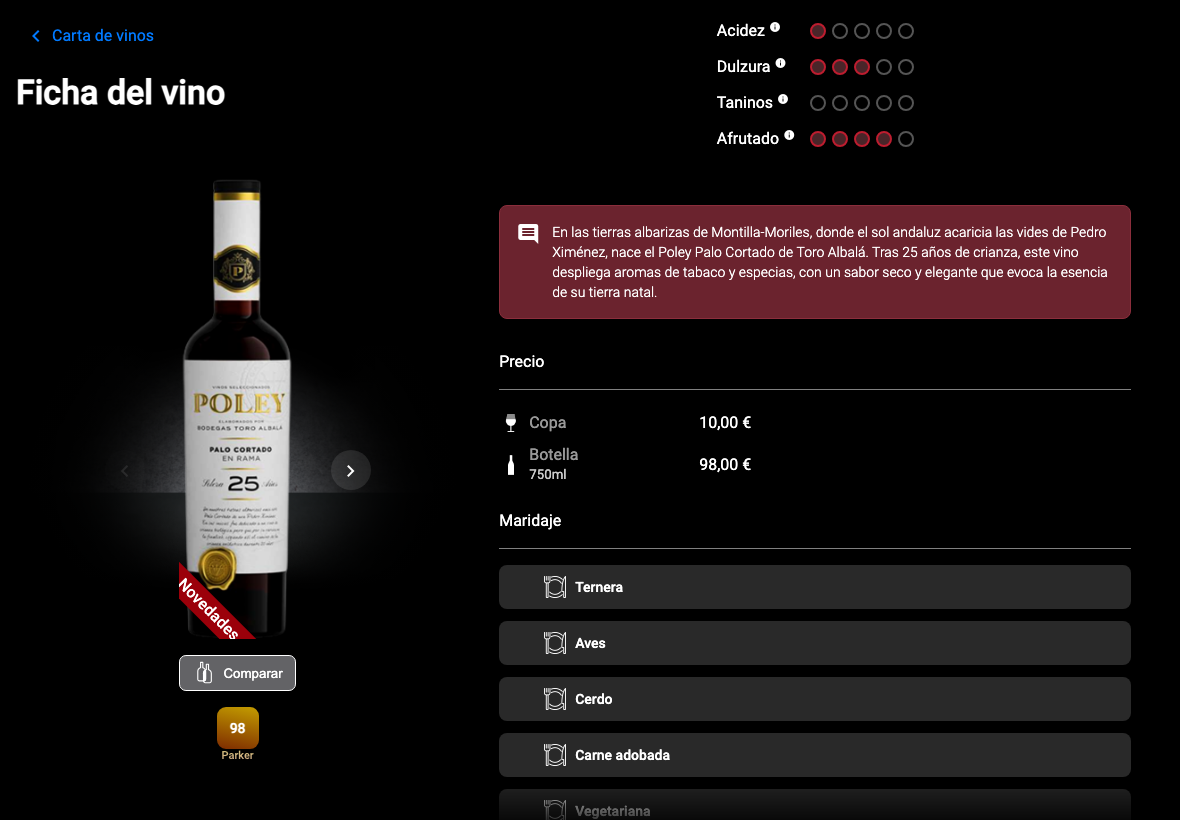
Full screenshot
Frames reviewed: 2026-09-28. Screenshots: 2026-05-26.