When to use it
When you have to read winery, region and country in public letter.
Requirements and permissions
- Public letter URL.
- Navigation with connection and letter from the loaded restaurant.
Steps
- In Characteristics, check with Bodega.
- Lee Region.
- Read Country.
Expected result and readback
Result: These fields explain provenance.
Check: In Characteristics, check with Bodega.
Common errors
- Act about another letter, language, coin, filter or wine other than that requested.
Recovery or rollback
Go back to the previous screen, clear filters or reload once. Do not repeat a write action until check if the first was applied.
Evidence
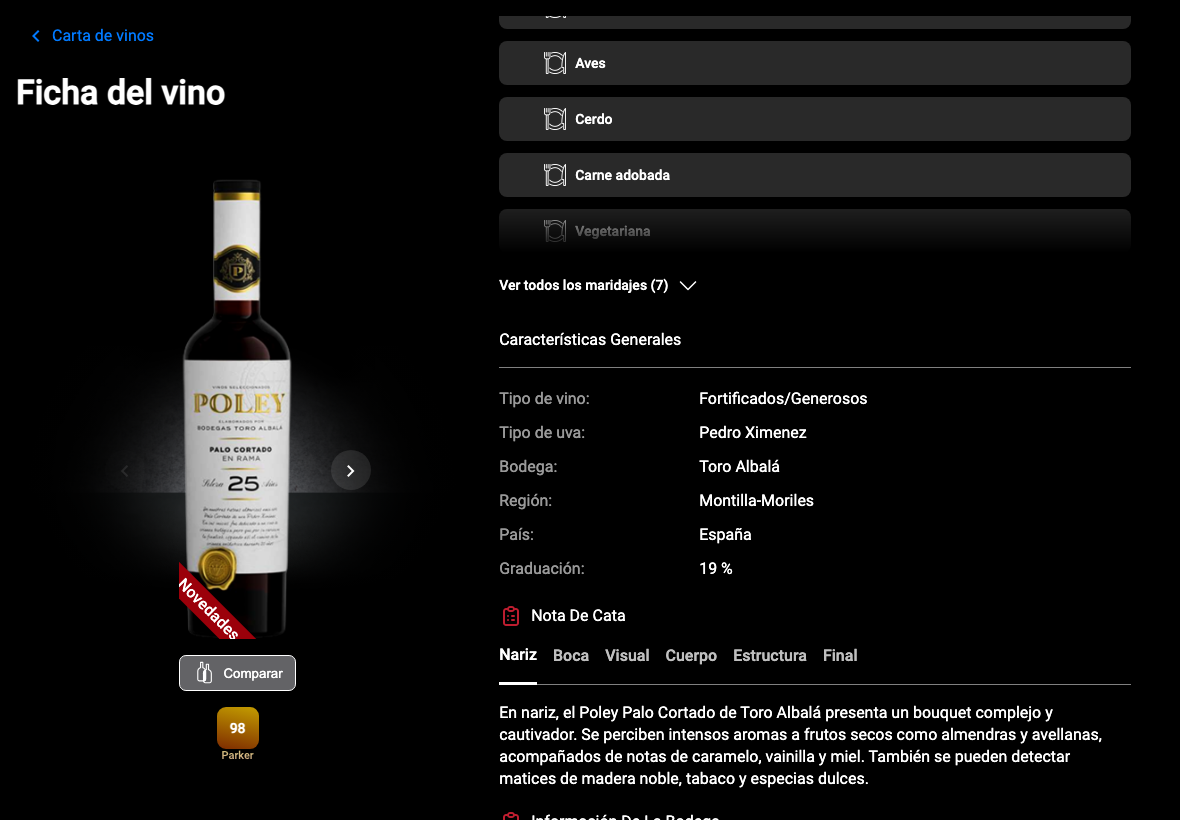
Full screenshot
Frames reviewed: 2026-09-28. Screenshots: 2026-05-26.